Stop Juggling Spreadsheets: Organize Your Guest List Online
Is your wedding planning scattered everywhere? Your guest list shouldn't live in multiple spreadsheets. Here's how to manage all your guests in one place that actually works.

Stop Juggling Spreadsheets: Organize Your Guest List Online
Is your wedding planning scattered everywhere?
Let’s talk about the spreadsheet situation. You probably have one. Maybe two. Your partner has their version. Your mom sent one with “her side” of the family. Someone added names but forgot to share the updated file. Now you’re not sure which list is correct, and the wedding is getting closer.
The spreadsheet served you well at first. But as your guest list grew, the cracks started showing.
The Spreadsheet Problem
We’ve all been there:
Version chaos – “Guest_list_final.xlsx,” “Guest_list_final_v2.xlsx,” “Guest_list_ACTUALLY_final.xlsx”
Sync nightmares – You updated the sheet, but your partner is working from an old version. Now there are two different lists.
Manual RSVP tracking – Someone RSVPs via WhatsApp, and you have to remember to update the spreadsheet. Did you update it? You can’t remember.
Phone frustration – Trying to view or edit a spreadsheet on your phone is painful. The columns don’t fit, you accidentally delete a row, and auto-save fails.
Sharing struggles – Do you email the file? Share via Google Drive? What happens when someone without a Google account needs access?
Formula fragility – That formula counting attendees? It breaks when someone inserts a row in the wrong place.
Spreadsheets are great tools. But they weren’t designed for wedding planning. They don’t connect to your RSVPs, don’t work well on phones, and don’t solve the “which version is real” problem.
What You Actually Need
Your guest list needs to be:
Single source of truth – One list. When it’s updated, that’s the update. No versions, no conflicts.
Accessible anywhere – Works on your phone, your laptop, your partner’s tablet. Same list, same data.
Shared in real-time – Your partner adds a guest, you see it immediately. No sending files back and forth.
Connected to RSVPs – When a guest responds, their status updates automatically. No manual data entry.
Easy to use – Adding a guest shouldn’t require spreadsheet skills. Finding a guest should take seconds.
Always backed up – Your list is safe in the cloud. No worrying about corrupted files or lost laptops.
Online Guest List Management
A dedicated wedding guest list solves all of this. Here’s how it works:
One List for Everyone
You create your guest list once. Your partner has access. You both see the same list. When either of you makes a change, it’s reflected immediately.
No more:
- “Which file are you looking at?”
- “Can you send me the latest version?”
- “I already added them – check your email”
Just one list, always current.
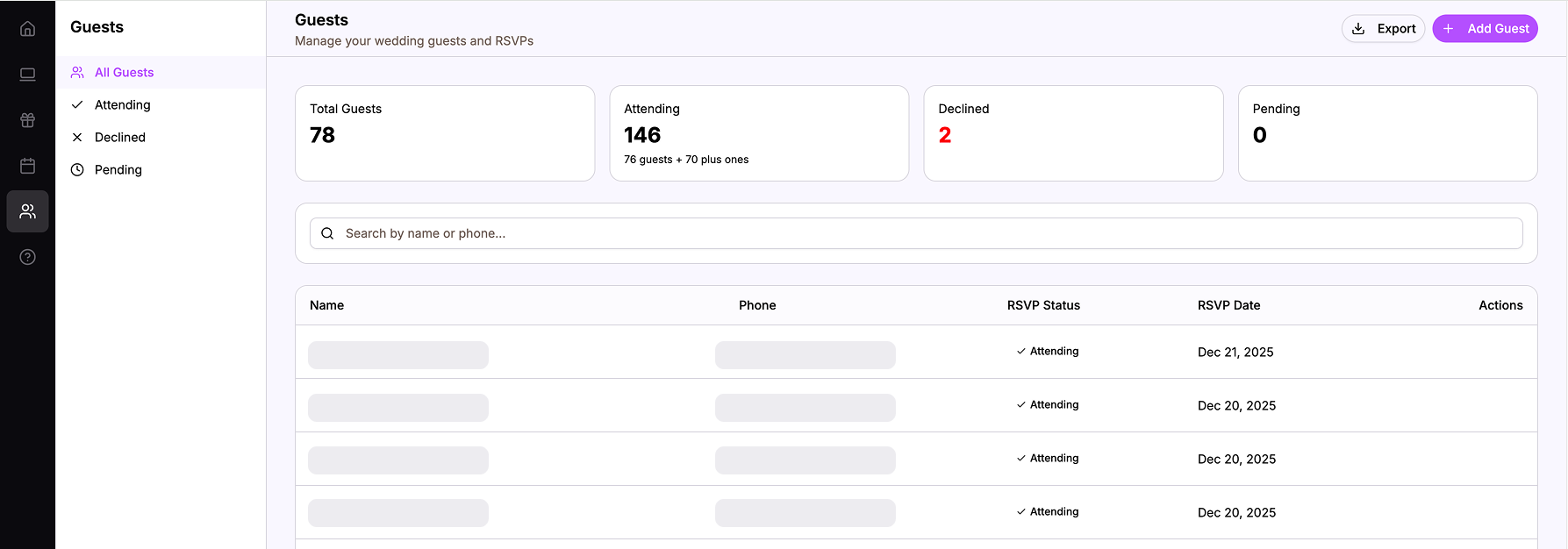 One list that you and your partner both access and update
Add Guests Easily
Adding guests is simple:
- Click “Add Guest”
- Enter their name and phone number
- Optionally add email
- Done
No fiddling with columns, no formula concerns, no formatting issues.
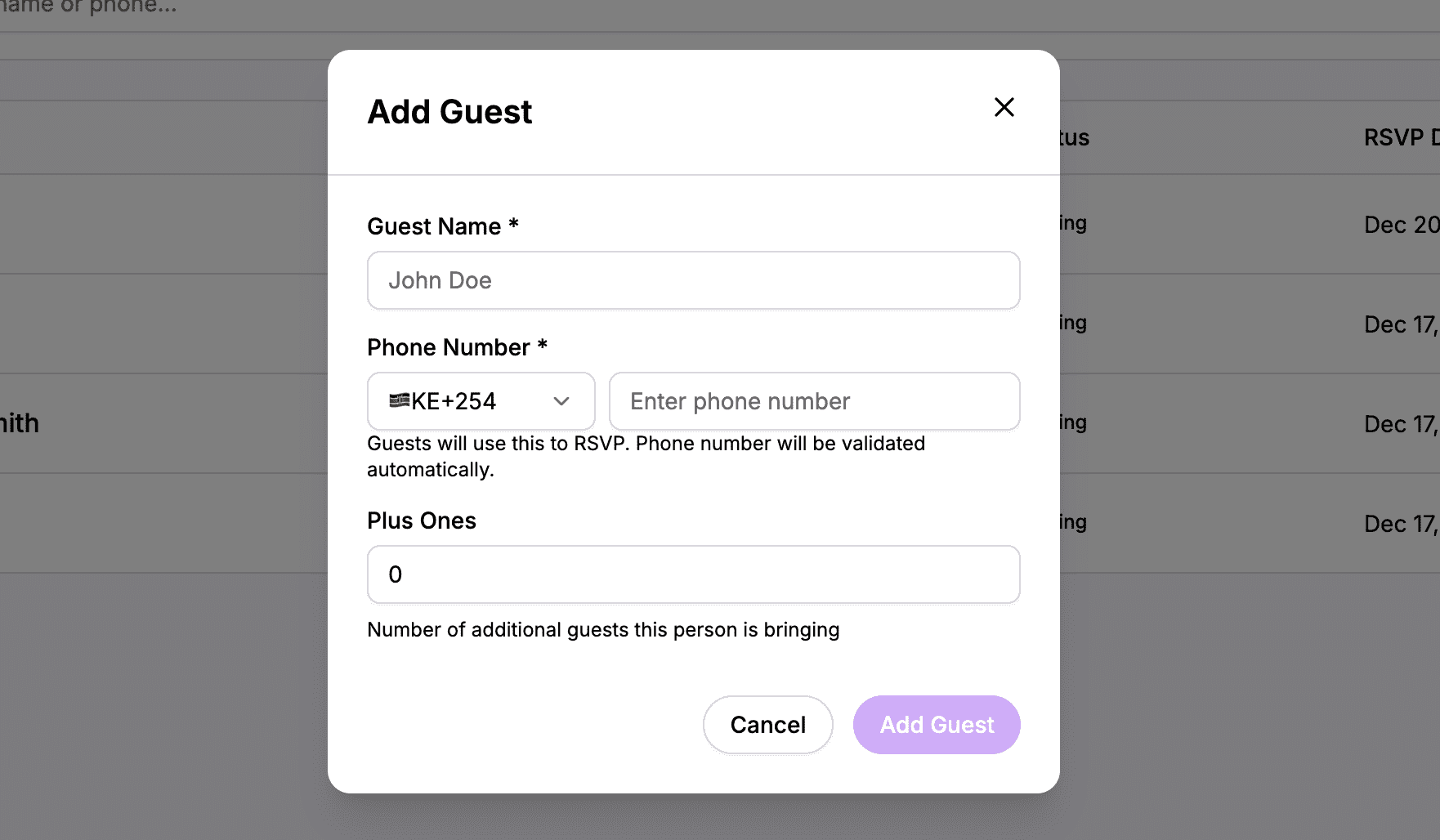 Add guests with just a name and phone number
Connected to RSVP
Here’s where online guest management really shines. When a guest RSVPs through your wedding website:
- Their status updates automatically
- You see “Yes,” “No,” or “Pending” in your list
- No manual data entry
- No forgetting to update the spreadsheet
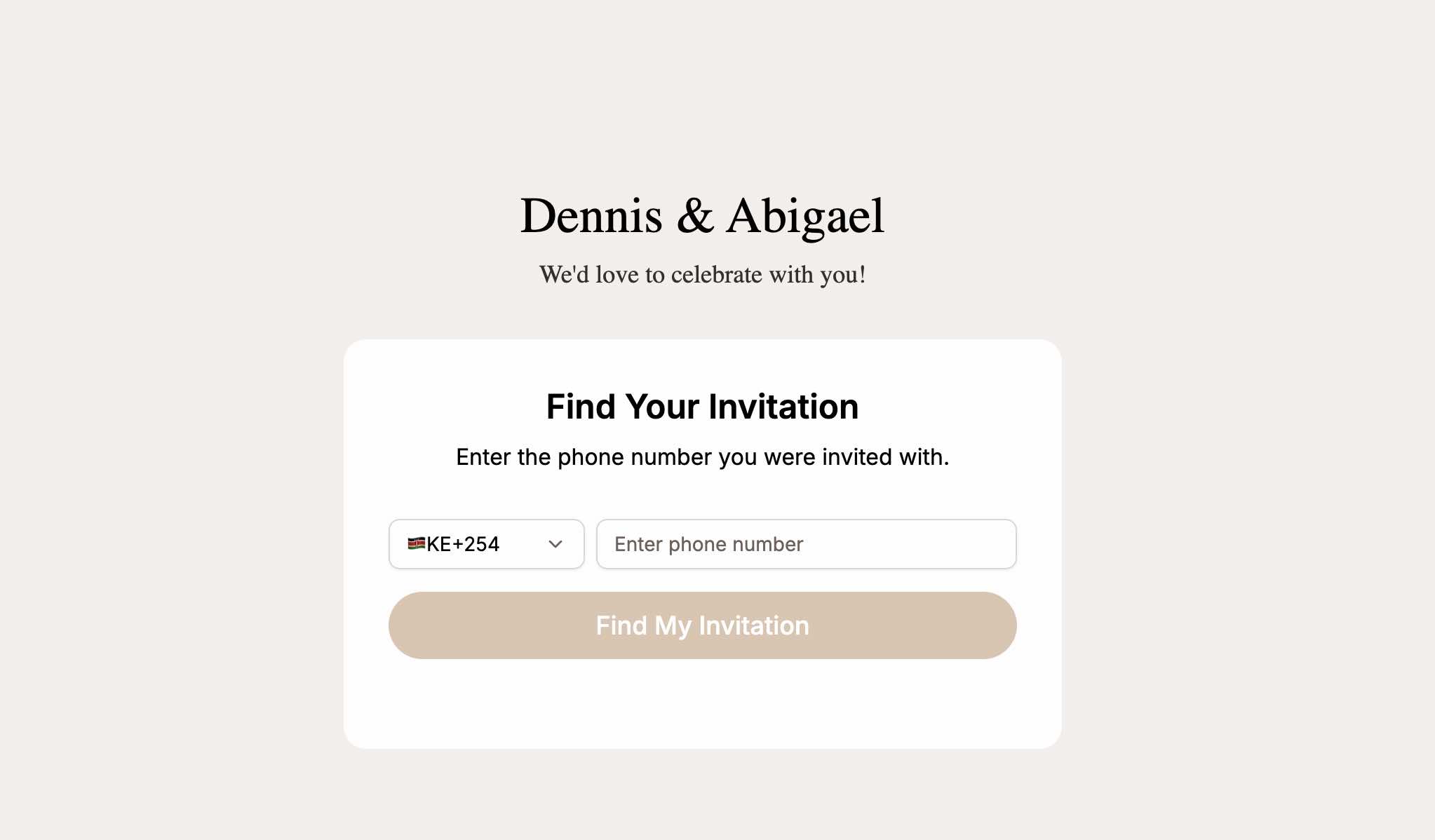
The RSVP page looks up guests by phone number. When they respond, your list updates. When you check your dashboard, you see current numbers.
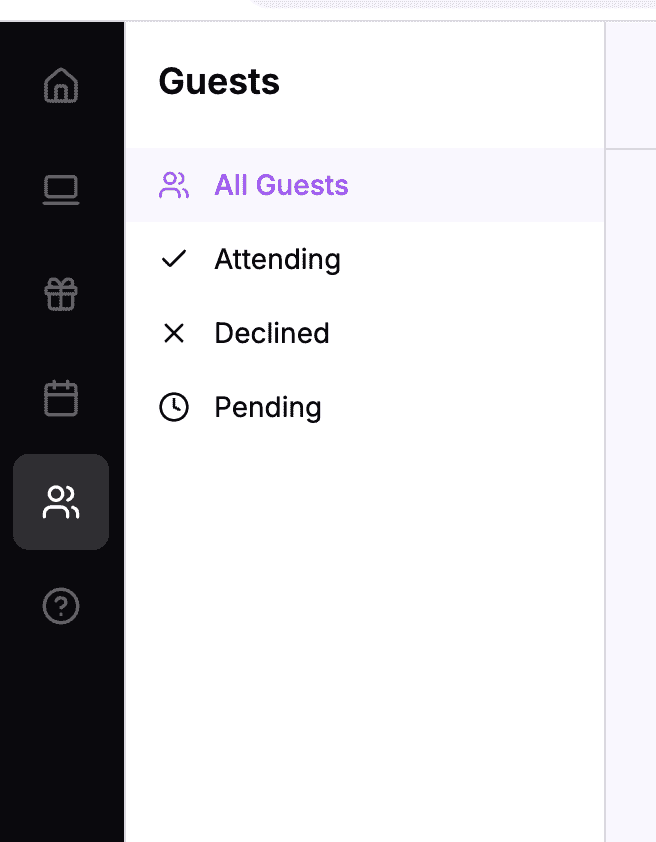 RSVPs automatically update guest status – no manual tracking
Filter and Search
Finding guests is instant:
- Search by name – Type a few letters, find them immediately
- Filter by status – Show only pending RSVPs, or only attending guests
- Sort as needed – Alphabetically, by RSVP date, or however you prefer
When Auntie asks “Did my friend Sarah RSVP yet?” you can answer in seconds.
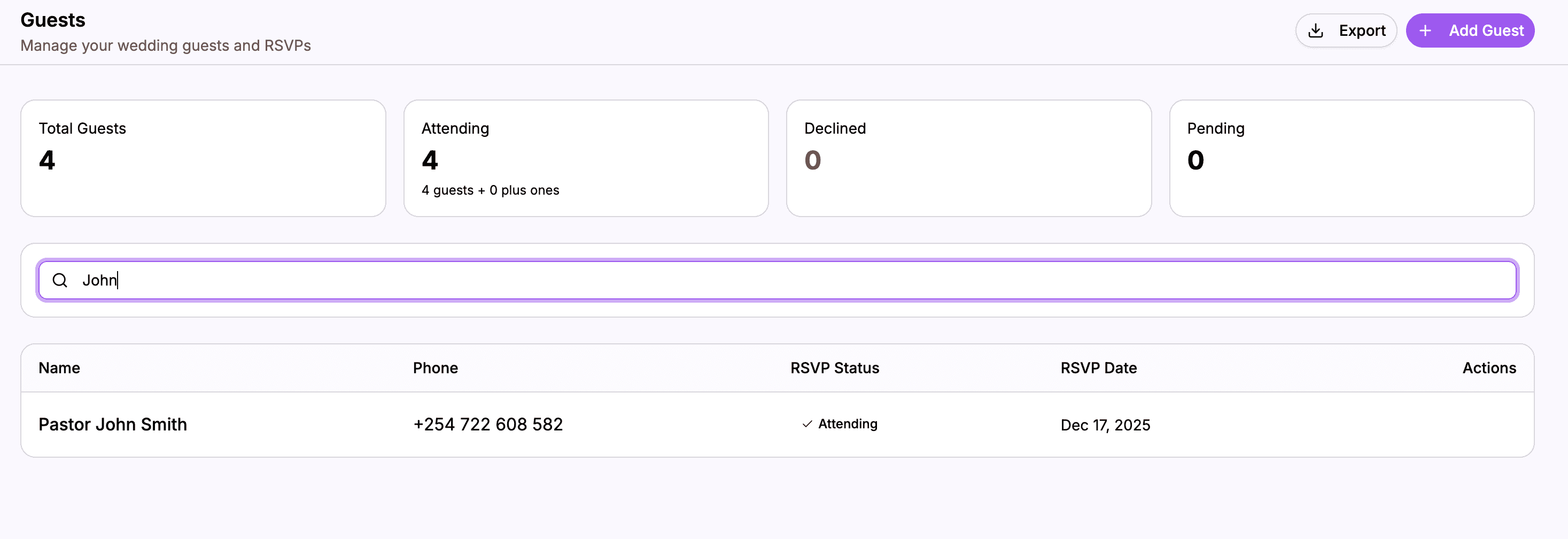 Search and filter to find any guest instantly
See the Numbers That Matter
At a glance, you can see:
- Total guests invited
- Confirmed attending (plus their plus-ones)
- Declined
- Still pending
These numbers update automatically as RSVPs come in. No formulas to maintain, no counting rows manually.
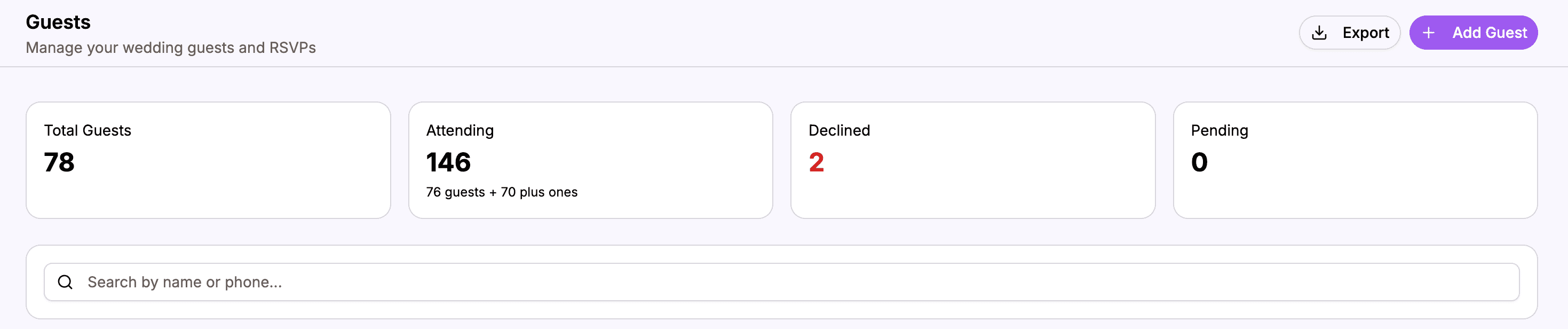 Live counts that update as RSVPs come in
Making the Switch
From Spreadsheet to Online
If you have an existing spreadsheet, the transition is straightforward:
Option 1: Manual entry – For smaller lists, just add guests one by one. It’s faster than you think and ensures accuracy.
Option 2: Import – Some platforms let you import from CSV or Excel. Check if this option is available.
Either way, once you’re set up, commit to using the online list. Don’t maintain both – that defeats the purpose.
Setting Up for Success
When you create your online guest list:
- Add all guests first – Get everyone in before opening RSVPs
- Include phone numbers – These are used for RSVP lookup
- Invite your partner – Make sure they have access to the same wedding account
- Bookmark it – Make your dashboard easy to access on all devices
Breaking the Spreadsheet Habit
The hardest part isn’t setting up the online list – it’s stopping yourself from going back to the spreadsheet.
When you catch yourself:
- Opening Excel instead of your dashboard
- Asking your partner to “send the file”
- Manually tracking an RSVP
Stop. Go to your online list instead. The habit takes a week or two to form, but once it does, you’ll never go back.
Real Benefits You’ll Experience
The Saturday Morning Check-In
Instead of downloading a file, remembering which version is current, and hoping it matches your partner’s:
You open your dashboard. You see:
- 45 attending
- 12 declined
- 28 pending
- 3 new responses since yesterday
Two minutes. Current information. No confusion.
The “Did They RSVP?” Question
Your mom asks if Cousin Brian responded yet.
Old way: Open spreadsheet, search for Brian, check if the RSVP column has been filled in (and hope it’s accurate).
New way: Type “Brian” in search. See his status immediately. “Yes, he’s coming with +1.”
The Venue Count Update
The venue needs your final headcount next week.
Old way: Open the spreadsheet, double-check the formula is working, manually verify the count looks right, wonder if you missed anyone.
New way: Open dashboard. See the number. Done.
The Partner Collaboration
You’re adding guests from your side of the family. Your partner is adding theirs.
Old way: You each work on separate files, then try to merge them. Or take turns with one file. Either way, it’s awkward.
New way: You both add guests in real-time. No merging. No turns. Just collaborative planning.
What About Excel Features?
You might wonder: “But I use advanced features in my spreadsheet – can an online tool match that?”
Let’s address common concerns:
Formulas for counting – The online tool counts automatically. No formulas needed.
Conditional formatting – The tool shows statuses with clear visual indicators. No setup required.
Data validation – Phone numbers and emails are formatted automatically.
Backup and history – The online tool saves everything in the cloud. Better backup than your local files.
Offline access – This is the one trade-off. You need internet access. But when was the last time you genuinely needed your guest list without any connectivity?
For most wedding planning needs, the online tool does everything the spreadsheet did – just more easily and with automatic RSVP connection.
Beyond the Guest List
Once your guest list is online, it becomes the foundation for everything else:
RSVP tracking – Guests look themselves up and respond Event attendance – Track who’s coming to which events Communication – Know who to contact for updates Headcounts – Real-time numbers for vendors and venues
It’s not just a list – it’s a living database connected to your entire wedding.
Make the Switch Today
Your guest list is too important to live in a fragile spreadsheet that causes version conflicts and requires manual RSVP tracking.
An online guest list gives you:
- One list, always current
- Real-time partner collaboration
- Automatic RSVP updates
- Access from any device
- Instant search and filtering
- Live headcount numbers
The setup takes less time than fixing a broken spreadsheet formula. And the ongoing time savings are significant.
Stop juggling spreadsheets. Put your guest list somewhere that actually works.
Ready to ditch the spreadsheet?
Create your wedding website with built-in guest list management.
Organize Your Guest List