From Chaos to Clarity: Track RSVPs Without the Stress
Is your wedding planning scattered everywhere? Stop chasing responses through texts, calls, and spreadsheets. Here's how to track RSVPs with automatic updates and real-time counts.

From Chaos to Clarity: Track RSVPs Without the Stress
Is your wedding planning scattered everywhere?
Let’s talk about RSVPs. You sent out invitations (or shared the wedding details), and now you need to know who’s coming. Simple enough, right?
Except responses are coming through:
- Text messages
- Phone calls to your mom
- Facebook comments
- In-person mentions
- Some people just… haven’t responded at all
Each response needs to be recorded somewhere. You’re updating a spreadsheet, or sticky notes, or just trying to remember. Your partner is getting responses too, but you’re not sure if they’re updating the same list.
The venue wants a headcount. The caterer needs final numbers. And you’re still chasing responses from half your guest list.
There’s a better way.
The RSVP Chaos Problem
Traditional RSVP tracking is stressful because:
Responses come from everywhere – Different channels, different times, easy to miss.
Manual recording is error-prone – Did you update the list after Auntie called? Did you mark their plus one?
No clear system – Everyone has a different way of responding, so you have no consistent process.
Counting is tedious – Adding up attendees, plus ones, and declines manually. Recounting to verify.
Following up is awkward – Who hasn’t responded? You have to cross-reference lists to find out.
Partner sync issues – You’re both getting responses. Are you both updating the same place?
The mental load of tracking RSVPs is significant – and it’s completely avoidable.
How Online RSVP Changes Everything
When RSVPs happen through your wedding website, the chaos disappears:
One Response Channel
Guests RSVP through your website. That’s it. One channel. All responses go to the same place.
No more:
- Checking texts
- Scrolling WhatsApp
- Asking “Did they call you or me?”
Just one place where responses accumulate.
 All responses come through one channel – your wedding website
Automatic Recording
When a guest submits their RSVP, it’s automatically recorded:
- Their response status updates (Yes/No)
- Their plus one count is captured
- Any answers to custom questions are saved
- The timestamp is logged
You don’t have to remember to update anything. The system handles it.
 Each RSVP is automatically saved and updates your guest list
Real-Time Counts
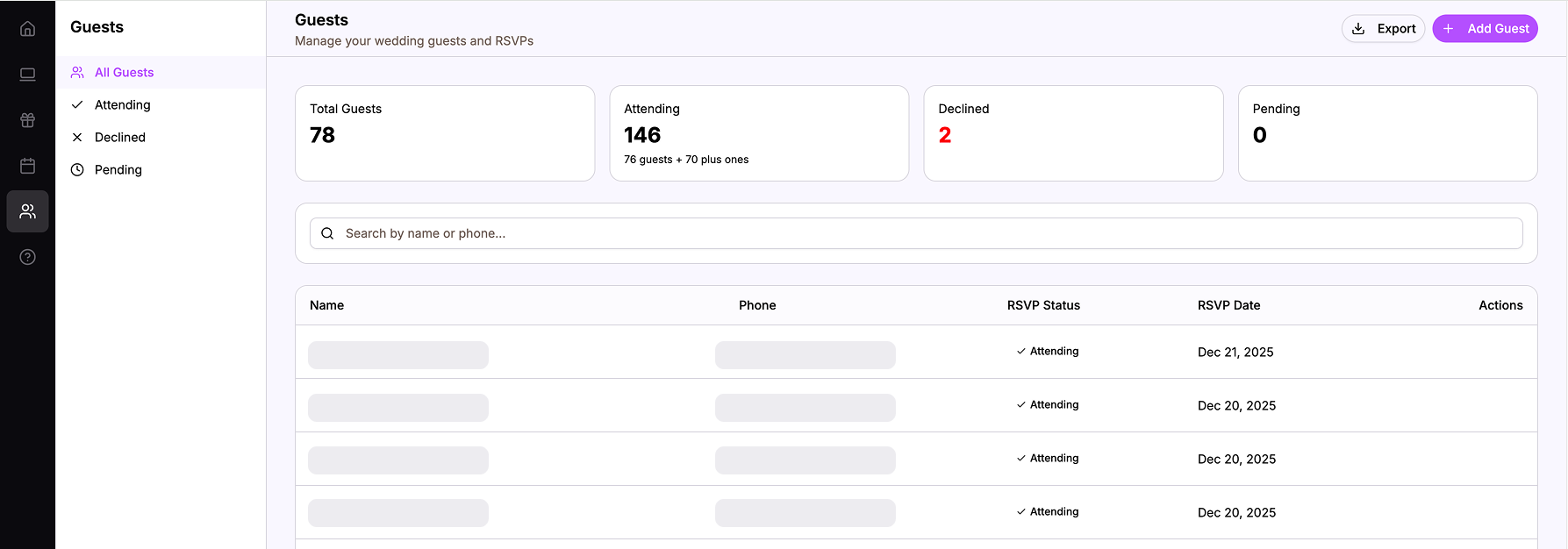
Open your dashboard and see:
- Attending: 87 guests (including plus ones)
- Declined: 23 guests
- Pending: 45 guests
These numbers update the moment someone RSVPs. No counting. No formulas. Just accurate, current numbers.
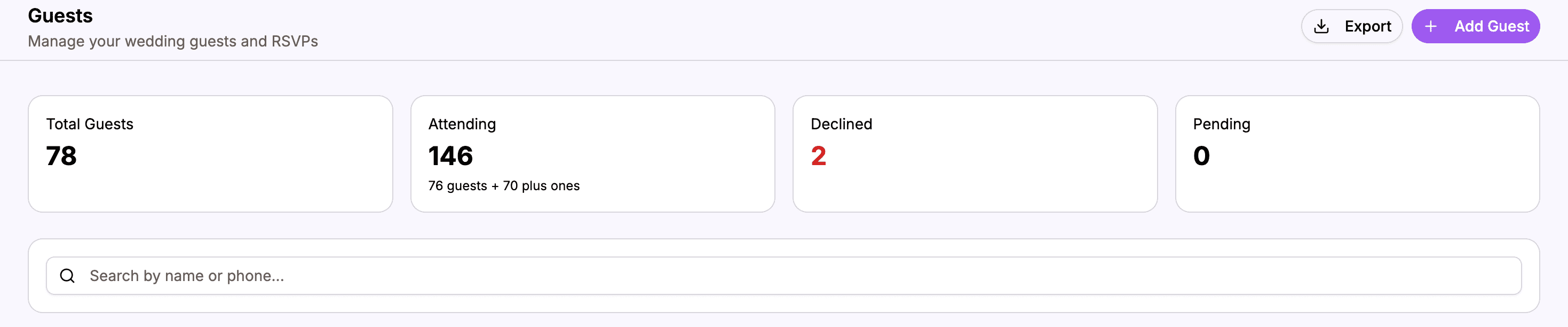 Your dashboard shows live counts that update automatically
Partner Visibility
Both you and your partner see the same data:
- Same guest list
- Same RSVP statuses
- Same counts
When a response comes in, you both see it. No sync needed. No “Did you get that one?”
Clear Follow-Up Lists
Want to know who hasn’t responded? One click:
- Filter by “Pending” status
- See everyone who hasn’t RSVPed
- Know exactly who to follow up with
No cross-referencing lists. No wondering if you missed someone.
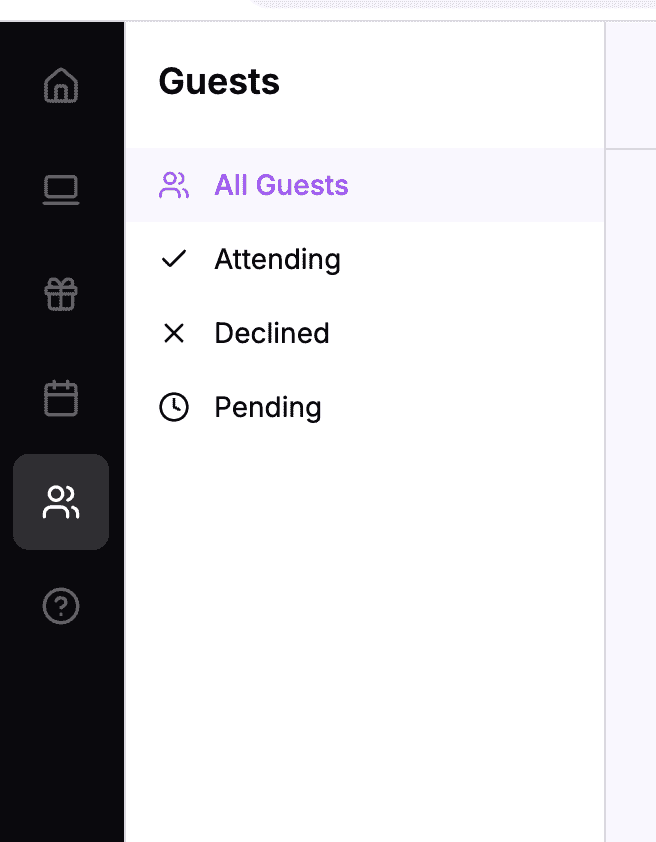 Filter to see exactly who still needs to respond
The Guest Experience
Let’s see what this looks like from your guest’s perspective:
Simple and Fast
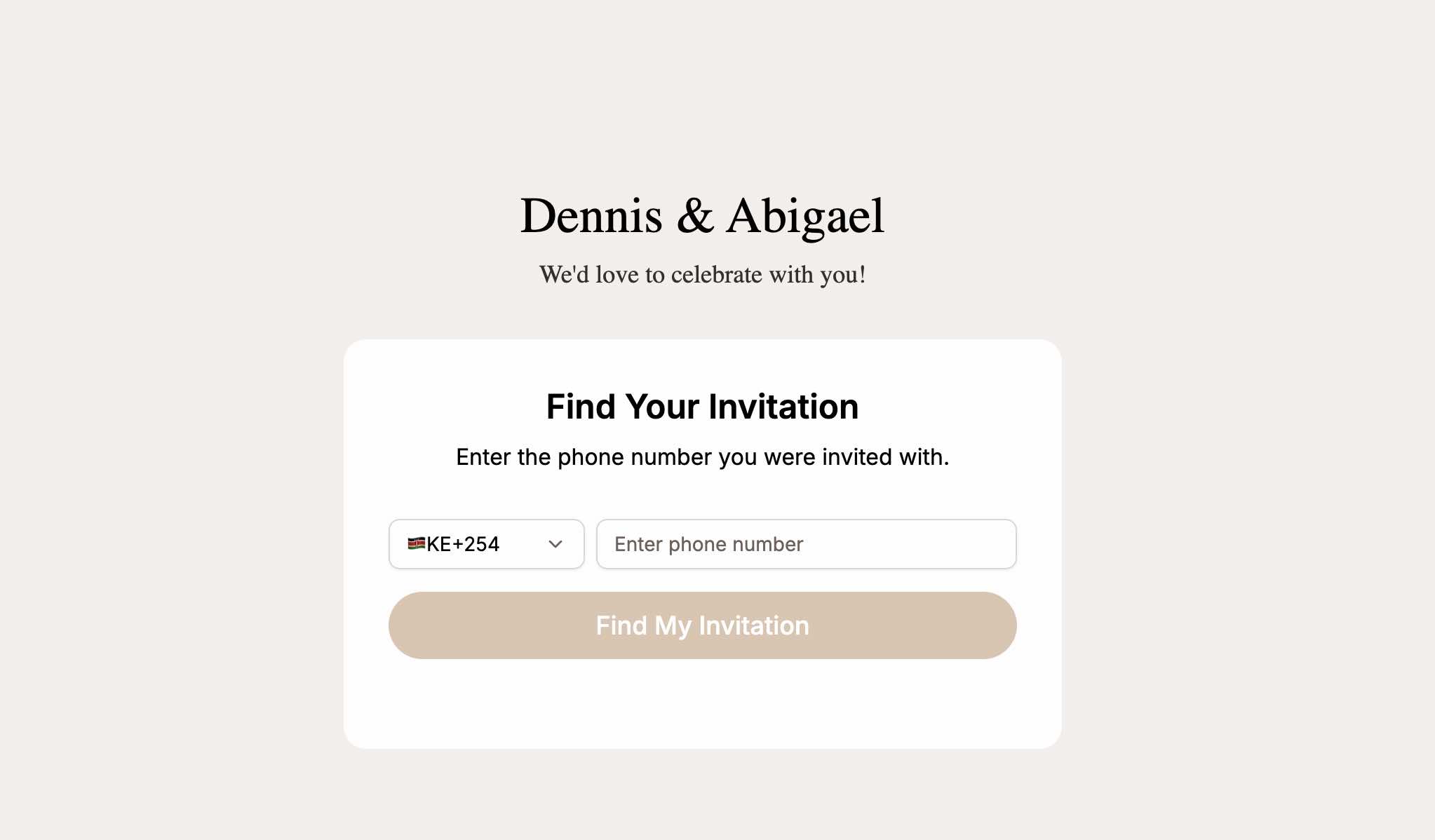
- Guest visits your wedding website
- Clicks “RSVP”
- Enters their phone number
- System finds their name
- Guest selects their response (attending/not attending)
- Guest indicates plus ones (if allowed)
- Done
Two minutes. No confusion. No “I’m not sure if they got my message.”
 Guests can RSVP in under two minutes
Event-Specific Responses
If you have multiple events (ceremony, reception, after party), guests can indicate which ones they’re attending.
This is huge. You know:
- 95 people at the ceremony
- 85 at the reception
- 40 at the after party
Different counts for different events, all tracked automatically.
Plus One Handling
When guests indicate they’re bringing a plus one:
- The count updates automatically
- You see both the guest count and plus one count
- Total attendance includes both
No more discovering at the venue that someone brought three extra people you didn’t plan for.
Optional Custom Questions
You can ask additional questions in the RSVP:
- Meal preference
- Dietary restrictions
- Song requests
- Anything else
Responses are saved with the RSVP. All information in one place.
Your Day-to-Day Experience
Here’s what RSVP tracking looks like when it’s organized:
Morning Check-In
You check your dashboard over breakfast. 3 new RSVPs overnight:
- Sarah – Yes (+1)
- Uncle John – Yes (no plus one)
- Cousin Lisa – No (work conflict)
Current count: 78 attending. No spreadsheet to open. No texts to remember.
Venue Call
The venue asks: “How many guests are we looking at?”
You open your dashboard: “Currently 78 confirmed, expecting about 15 more from the pending list.”
Instant answer. Confident accuracy.
Partner Update
Your partner asks: “Did James respond yet?”
You search for James in 2 seconds: “Still pending. Let’s follow up next week.”
Weekly Review
Once a week, you look at the pending list:
- 45 people haven’t responded
- 15 of them are close family – probably fine, but follow up
- 30 are friends/extended – send a reminder
You know exactly who to contact. No guessing.
Pre-Wedding Final Count
A week before the wedding, you need final numbers. You look at your dashboard:
- 102 attending
- 8 declined
- 5 still pending (you message them directly)
Final count locked. Confident. Accurate.
Handling the Inevitable Exceptions
Not everyone will RSVP online. That’s okay. You can still manage it:
When Someone RSVPs in Person
Grandma tells you at Sunday lunch that she’s coming.
- Open your guest list on your phone
- Find Grandma
- Update her status to “Attending”
- Done
One minute. Still in the system. Still reflected in your counts.
When Someone Doesn’t Have Internet
Auntie in the village doesn’t have internet access.
Options:
- She calls someone who can RSVP on her behalf
- You update her status manually when she confirms
The system is flexible. Not everyone needs to use the website – but most will, which dramatically reduces your manual work.
When Plans Change
Someone who said “Yes” now can’t make it.
They can:
- Go back to the RSVP page and update their response
- Message you, and you update manually
Either way, the count updates accordingly.
Comparing Old Way vs. New Way
| Situation | Old Way | New Way |
|---|---|---|
| Receiving responses | Multiple channels (text, call, in-person) | One channel (website) |
| Recording responses | Manual update to spreadsheet | Automatic |
| Checking counts | Count rows, use formulas, hope it’s right | Glance at dashboard |
| Finding who hasn’t responded | Compare lists, create new list | Filter by “Pending” |
| Partner collaboration | Share files, sync issues | Same dashboard, real-time |
| Last-minute changes | Update spreadsheet, maybe miss it | Update or let guest update |
| Pre-wedding headcount | Recount everything, verify manually | Read the number |
Making the Switch
If you’re currently in RSVP chaos, here’s how to get organized:
Step 1: Set Up Your Guest List
Before you can track RSVPs, you need your guest list in the system. Add everyone you’re inviting with their phone numbers.
Step 2: Open RSVPs
Turn on the RSVP feature on your website. Guests can now respond.
Step 3: Share the Link
Tell guests where to RSVP:
- Include in invitations
- Share in group chats
- Mention in conversations
“RSVP on our website at harusihub.com/your-names”
Step 4: Stop Manual Tracking
This is crucial. Stop maintaining a spreadsheet. Stop making mental notes of who responded. Trust the system.
Check your dashboard instead of your informal tracking.
Step 5: Follow Up as Needed
Use the “Pending” filter to see who hasn’t responded. Send reminders through your preferred channel. When they respond online, it’s tracked.
The Mental Peace of Clarity
Beyond the practical benefits, organized RSVP tracking brings peace of mind:
You trust your numbers. No second-guessing, no “I think we have about 80” – you know.
You’re not the bottleneck. Guests can RSVP 24/7. You don’t have to be available to receive responses.
You’re not forgetting anyone. The system tracks everyone. Nothing falls through the cracks.
You can enjoy engagement. Instead of stressing about who hasn’t responded, you check once a week and move on.
This mental peace is perhaps the greatest benefit. Wedding planning is stressful enough. RSVP tracking doesn’t have to add to it.
Start Tracking Without Stress
Your RSVPs don’t have to be scattered across texts, calls, and sticky notes.
An organized RSVP system gives you:
- One channel for responses
- Automatic recording
- Real-time counts
- Easy follow-up
- Partner visibility
- Mental peace
The setup takes less than an hour. The ongoing time savings are significant. And the stress reduction? Priceless.
Stop chasing responses. Let them come to you, organized and counted.
Ready for stress-free RSVPs?
Create your wedding website with built-in RSVP tracking.
Start Tracking RSVPs