Your Wedding Command Center: How to Use Your Dashboard
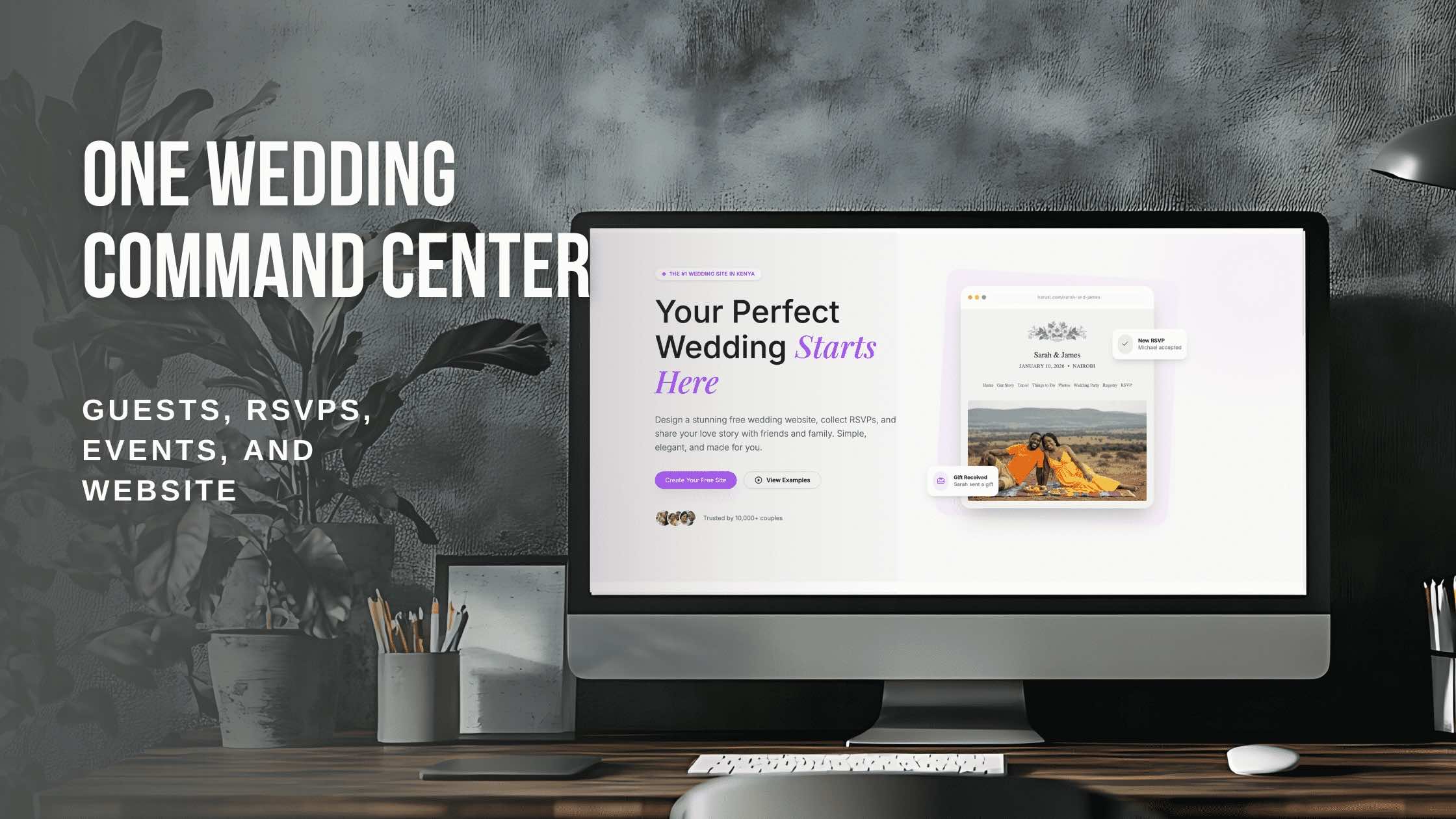
Is your wedding planning scattered everywhere? Your dashboard brings everything together – guests, RSVPs, events, and website. Here's how to use it as your planning command center.
Your Wedding Command Center: How to Use Your Dashboard
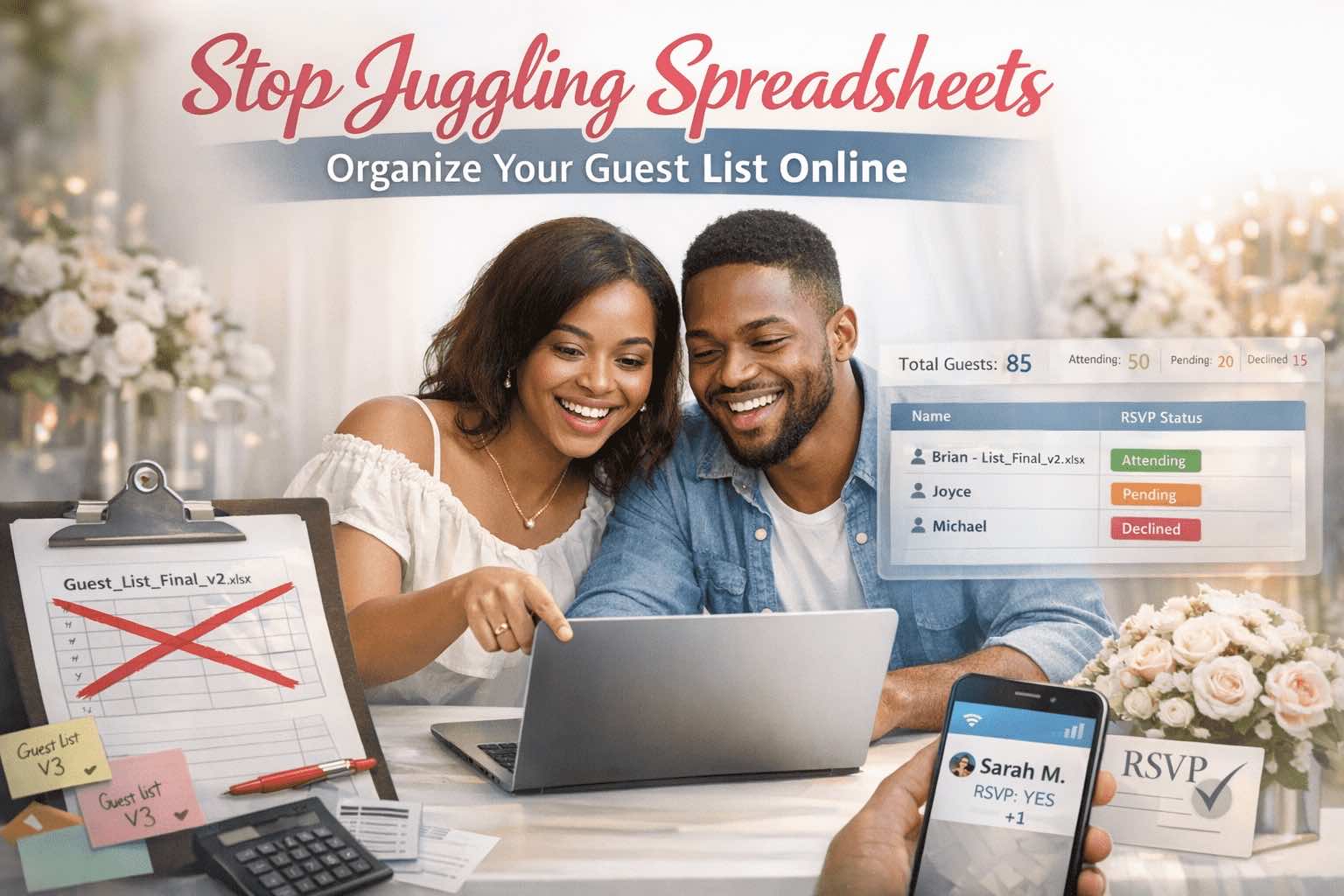
Is your wedding planning scattered everywhere?
There’s a moment in wedding planning when you realize you need a better system. Maybe you’re searching through texts for a guest’s phone number. Maybe you’re wondering if the RSVP count in your spreadsheet is accurate. Maybe you and your partner are looking at different versions of the same information.
That’s when you need a command center – one place where everything lives, connects, and stays current.
Your wedding dashboard is that command center. Let’s explore how to use it.
What Is a Wedding Dashboard?
Think of your dashboard as mission control for your wedding. It’s where you:
- See the big picture – Key metrics at a glance
- Manage details – Guest list, events, website content
- Track progress – RSVPs, contributions, to-dos
- Make updates – Change information and see it reflected everywhere
- Collaborate – Share access with your partner
Everything is connected. When something changes, related things update. When you need information, you know where to find it.
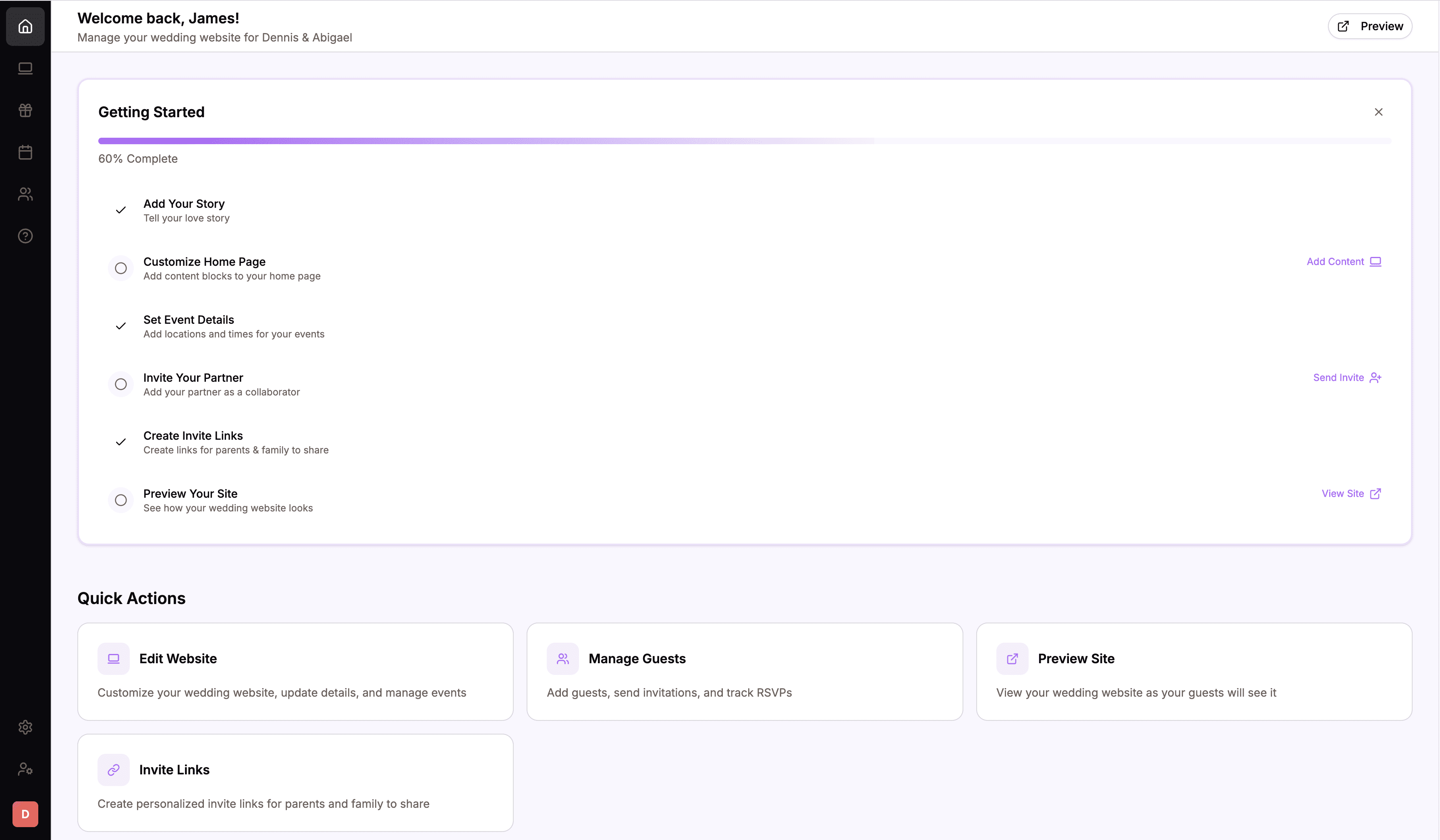 Your dashboard brings everything together in one organized view
The Dashboard Structure
Your dashboard is organized into sections, each handling a different aspect of your wedding:
Overview / Home
The landing page shows you the essentials at a glance:
- RSVP stats – Attending, declined, pending
- Guest count – Total expected attendance
- Upcoming events – What’s next
- Recent activity – Latest RSVPs or updates
This is your daily check-in spot. A 30-second glance tells you where things stand.
Guests Section
Your complete guest list with:
- All invited guests
- RSVP status for each
- Contact information
- Plus one details
- Search and filter capabilities
This is the single source of truth for who’s invited and who’s coming.
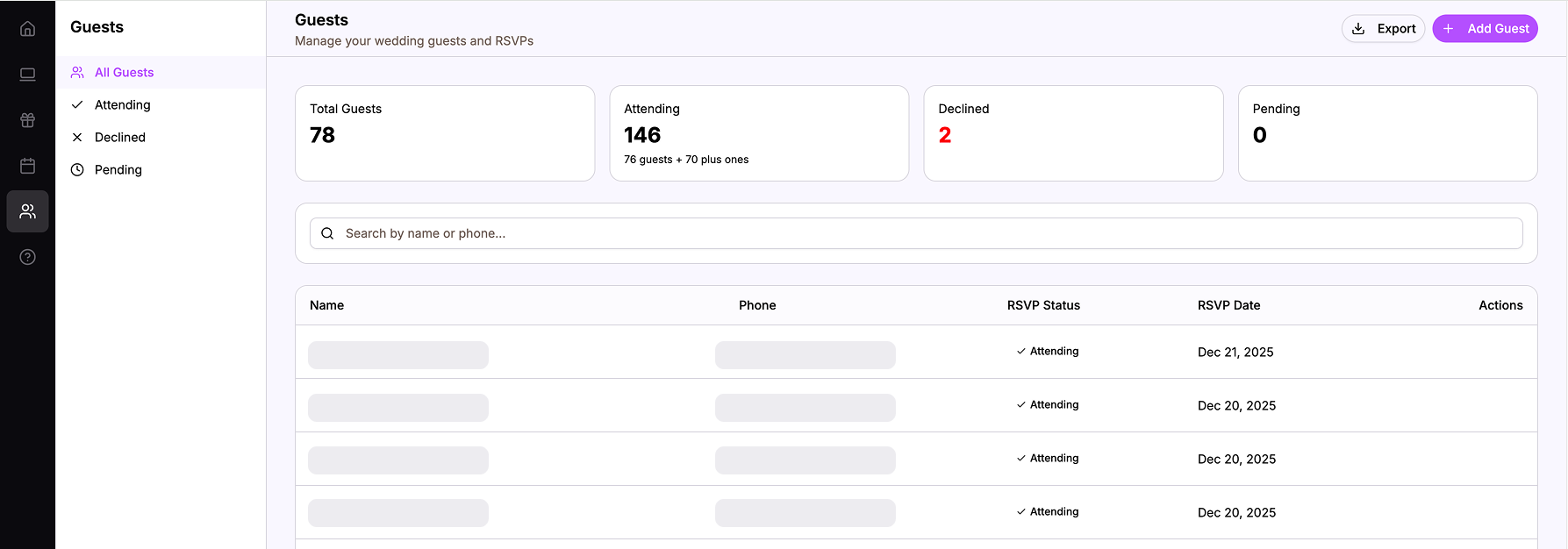 Your guest list with RSVP status, search, and filters
Events Section
All your wedding events:
- Ceremony, reception, after party, pre-wedding events
- Dates, times, venues for each
- Which events are enabled for guests to see
- RSVP settings per event
Manage the schedule of your celebration in one place.
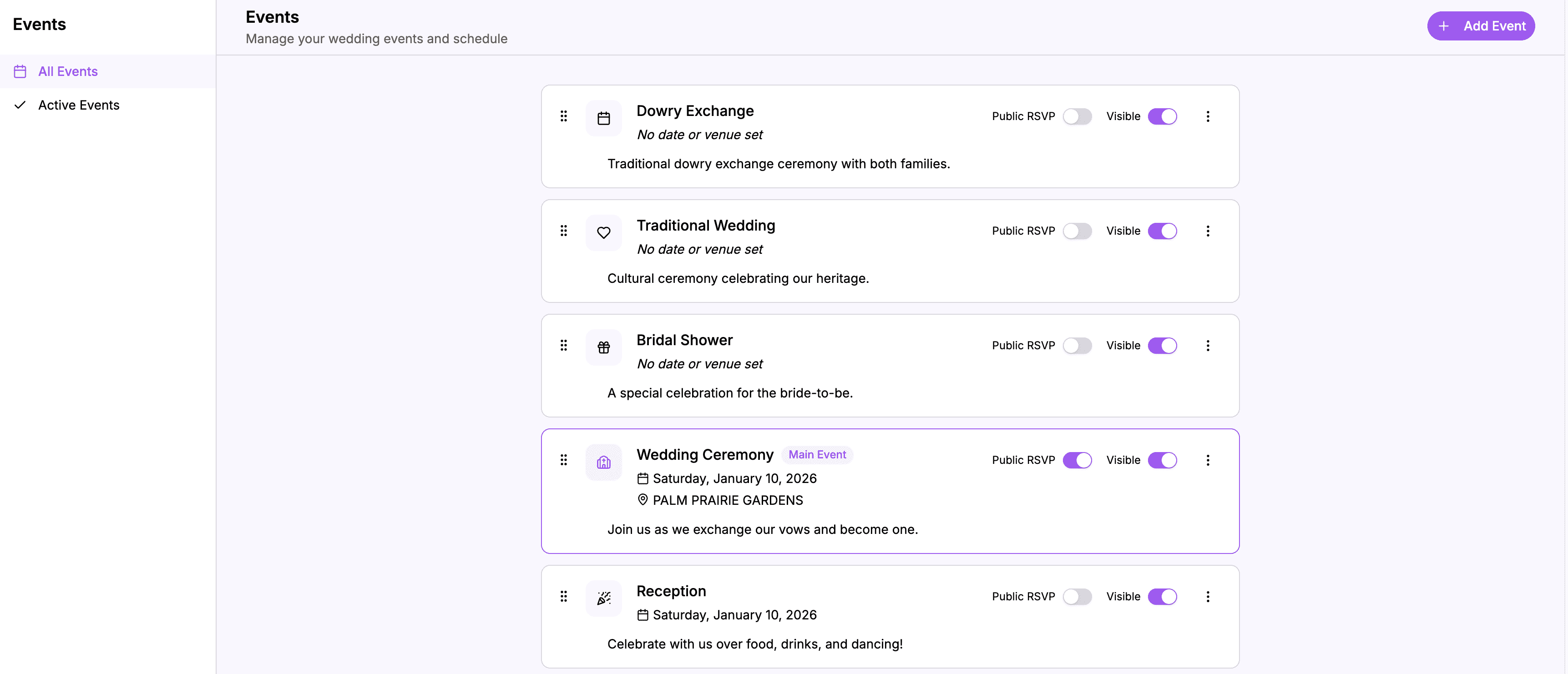 Manage all your wedding events and their settings
Website Section
Your wedding website editor:
- Edit any page (Home, Our Story, Photos, etc.)
- Add and arrange content blocks
- Update information that guests see
- Preview changes
What you edit here is what guests see on your live website.
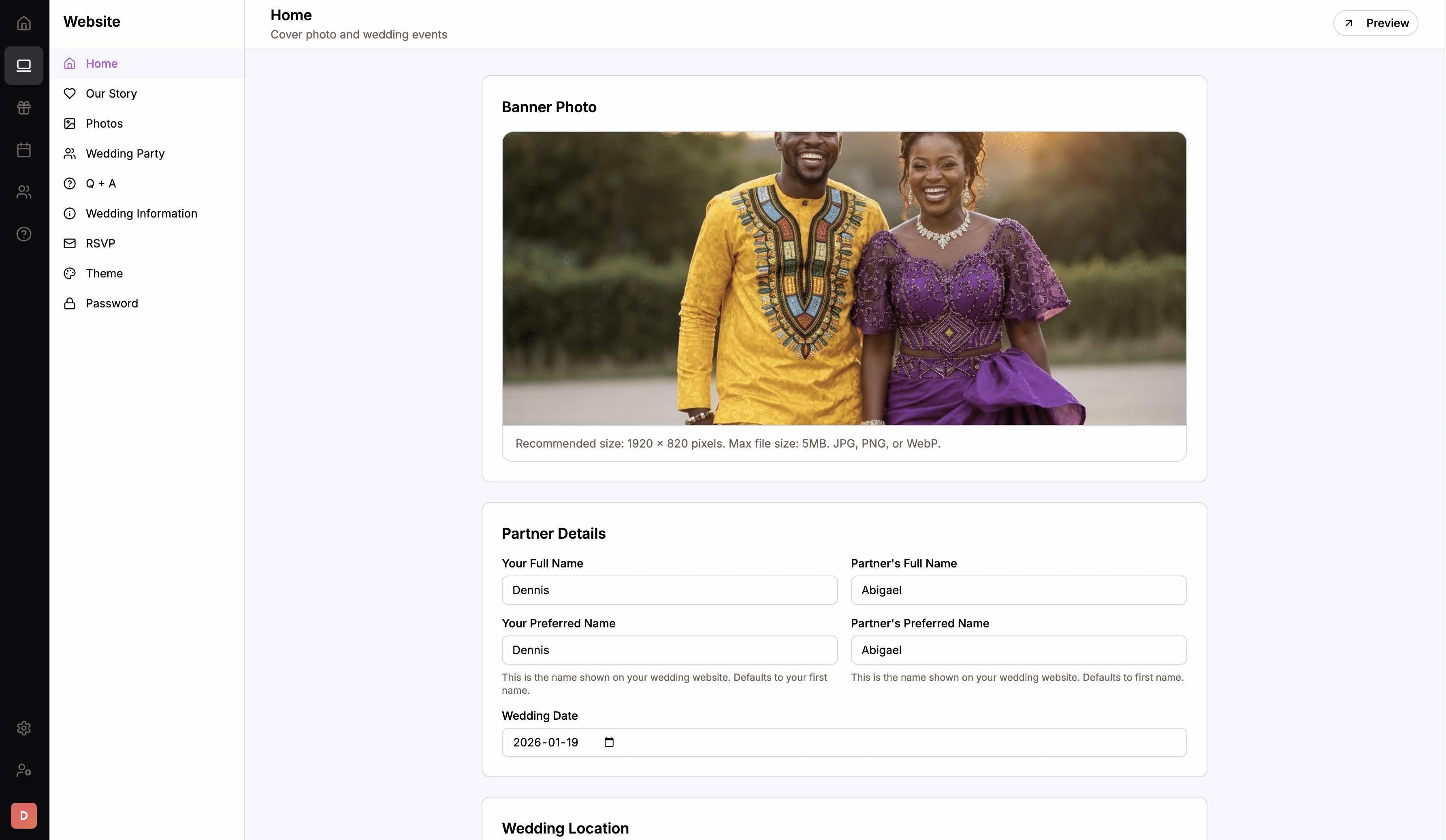 Edit your wedding website pages from the dashboard
Registry Section
If you use the registry feature:
- Manage registry items
- Track contributions
- View contribution history
- Configure payment settings
Keep track of gifts and contributions in one place.
Settings
Account and wedding settings:
- Your profile
- Partner access
- Theme selection
- Password protection
- Notification preferences
Configure how everything works.
Using Your Dashboard Effectively
Having a dashboard is one thing. Using it effectively is another. Here’s how to make the most of it:
Make It Your First Stop
When you want to check on your wedding:
- Open your dashboard
- Look at the overview
- Drill into specific sections as needed
Not your spreadsheet. Not your texts. Not your notes app. The dashboard.
This habit takes a week or two to form, but it’s transformative. You always know where to go for wedding information.
Check In Regularly (But Not Obsessively)
A quick daily check keeps you informed without consuming you:
Morning glance (1-2 minutes)
- Any new RSVPs?
- Current headcount?
- Anything need attention?
Weekly review (15-20 minutes)
- Review pending RSVPs
- Check event details are current
- Update website if needed
- Sync with partner
Pre-milestone deep dive (30+ minutes)
- Before invitation send
- Before vendor meetings
- Before final counts due
Regular check-ins keep you informed. Obsessive checking creates anxiety. Find the balance.
Keep Information Current
Your dashboard is only as good as the information in it. When things change:
- Guest added? Add them to the list
- Event time changed? Update it in Events
- New information for guests? Update the website
Updates take seconds. Keeping things current means you always trust what you see.
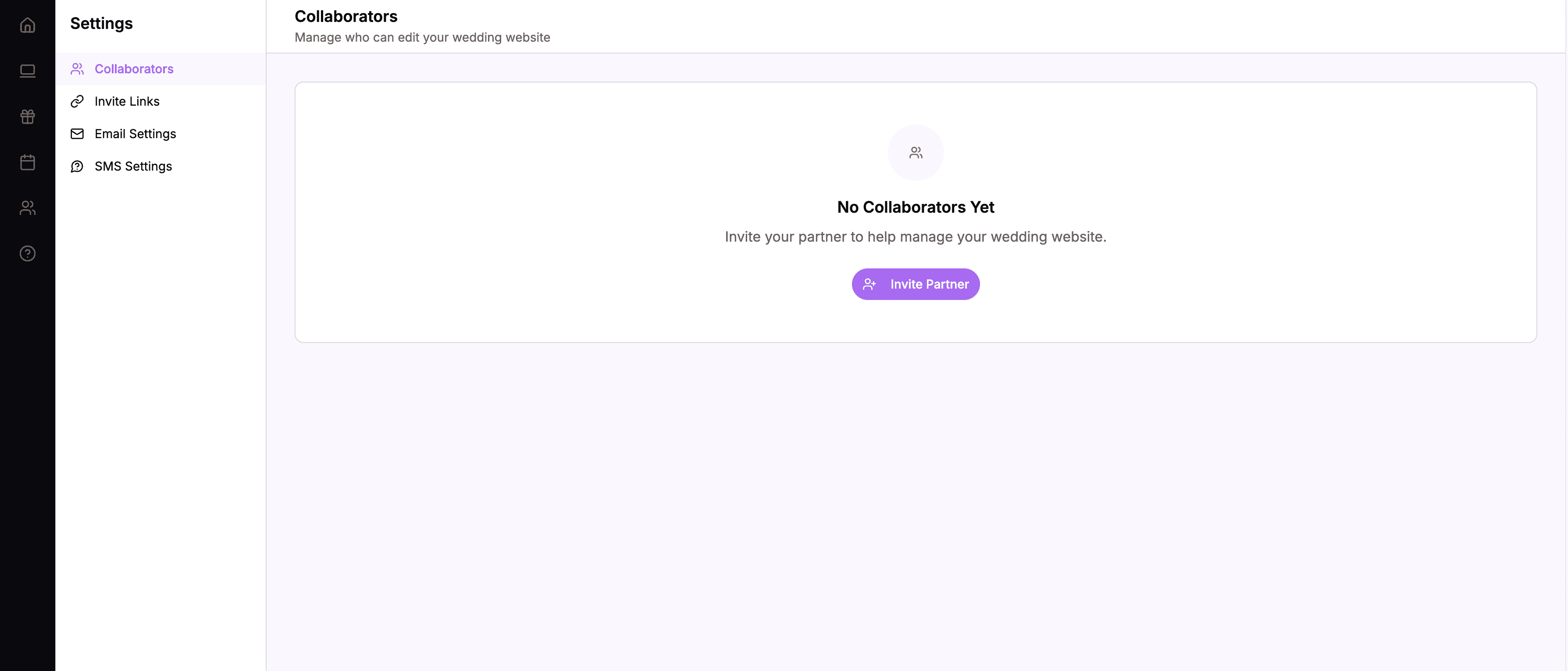
Share With Your Partner
Both partners should have access to the same dashboard:
- Add your partner to your wedding account
- Both see the same data
- Both can make updates
- No version conflicts
When you’re planning together, you’re literally looking at the same thing.
 Both partners access and update the same dashboard
Common Dashboard Tasks
Here’s how to accomplish common wedding planning tasks using your dashboard:
“How Many People Are Coming?”
- Open dashboard
- Look at overview stats
- See: “87 attending”
Time: 10 seconds
”Did Uncle James RSVP?”
- Open Guests section
- Search “James”
- See his status
Time: 15 seconds
”I Need to Update the Venue Address”
- Go to Website section
- Open Home page
- Update the address field
- Save
Time: 2 minutes
”Who Hasn’t Responded Yet?”
- Go to Guests section
- Filter by “Pending”
- See the list
Time: 30 seconds
”What Time Is the Reception Again?”
- Go to Events section
- Find Reception
- See the details
Time: 20 seconds
”I Want to Add a New Photo Gallery”
- Go to Website section
- Open Photos page
- Add a Gallery block
- Upload photos
- Save
Time: 5-10 minutes depending on photos
The Dashboard Mindset
Using a dashboard well requires a mindset shift:
From Scattered to Centralized
Old mindset: Information lives wherever it was created (texts, emails, notes)
New mindset: Information lives in the dashboard. Other places are temporary. The dashboard is permanent.
From Remembering to Recording
Old mindset: “I’ll remember that someone RSVPed”
New mindset: “It’s in the dashboard, so I don’t have to remember”
From Searching to Knowing
Old mindset: “I think the guest count is around 80…” (uncertainty)
New mindset: “The dashboard says 87 attending.” (certainty)
From Individual to Shared
Old mindset: “Let me check my spreadsheet”
New mindset: “Let’s look at OUR dashboard”
When the Dashboard Shines
There are moments when having a command center really pays off:
The Venue Meeting
Venue coordinator: “So how many guests are you expecting?”
You pull up your dashboard: “We have 87 confirmed with about 20 pending. I’d estimate 100-105 total.”
Confidence. Accuracy. Professionalism.
The Caterer Deadline
Final numbers due in 48 hours. You open your dashboard:
- 92 attending
- 12 pending
- You message the pending list
- You update the count as responses come in
- You submit final numbers with confidence
No last-minute scrambling. No uncertain guesses.
The Family Question
Mom asks: “Is your cousin Sarah coming? She mentioned she might not make it.”
You check: “She RSVPed yes on the 15th. She’s coming with her husband.”
Instant answer. No “I think so” or “let me check.”
The Partner Sync
Your partner is at work. You’re at home. You both need to review the guest list.
You’re both looking at the same dashboard, on different devices, in different locations. Same information. Real collaboration.
The Week Before
Everything is coming together. You open your dashboard:
- Final headcount: 108
- All events confirmed
- Website is complete
- You’re ready
No panic. No scrambling. Just confidence that everything is in order.
Building the Habit
Making your dashboard your command center takes intentional habit-building:
Week 1: Force Yourself
Every time you want wedding information:
- Stop
- Open the dashboard
- Find the information there
Even if it feels slower at first. Even if you’re tempted to check texts. Dashboard first.
Week 2: Get Comfortable
You start to know where things are:
- Guests section for the list
- Events for the schedule
- Website for what guests see
Navigation becomes natural.
Week 3: It’s Automatic
You don’t think about it anymore. Wedding question = dashboard. It’s just how you operate now.
Ongoing: Maintain the System
Keep information current. Check in regularly. Trust the dashboard. It becomes the natural home for your wedding planning.
Your Command Center Awaits
Your wedding planning doesn’t have to be scattered.
A dashboard gives you:
- One place for all wedding information
- Real-time data that updates automatically
- Partner collaboration without version conflicts
- Quick answers to any wedding question
- Confidence in your numbers and plans
- Mental peace from organized information
Set it up. Use it consistently. Make it your command center.
When everything lives in one place, wedding planning becomes clearer, calmer, and even enjoyable.
Ready for your command center?
Create your wedding website and get an organized dashboard.
Start Your Command Center